- 24
- April
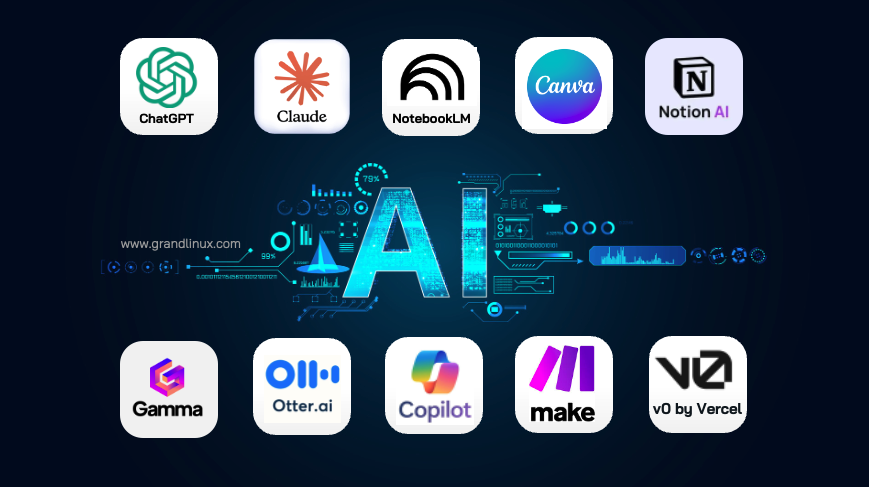
Two months ago we published 10 AI Tools Every Business Should Know (February 2026) and figured the list would hold up for a while — we were wrong. March and April brought a flood of new releases, forcing us to revise half the original list and add two brand-new entries. This post is the tight, honest update: 8 AI tools that actually work as of April 2026, plus a clear breakdown of what changed, what's new, and what still holds up.
TL;DR — the three biggest shifts in 2 months
- Claude moved from #2 to #1 — Opus 4.7 + Claude Design + Managed Agents let a single tool cover what previously needed v0 (UI generation), Figma (design) and a workflow automation layer.
- ChatGPT unlocked Agents Mode for everyone — GPT-5.4 can now run multi-hour jobs (booking, scraping, populating sheets) on behalf of the user.
- v0 by Vercel dropped off the list — not because it got worse, but because Claude Design covers the same ground alongside writing and analysis in one interface.
The 8 AI tools that actually deliver — April 2026
We trimmed the list from 10 to 8: some tools got absorbed by rivals, and two new entries landed during Songkran 2026. For the wider picture, see The 10 Days of AI You Missed (9–18 April 2026).
1. Claude (Opus 4.7 + Design + Managed Agents) — the game changer
What it does: Long-document analysis, code review and generation, UI design (Claude Design, new), long-running workflows (Managed Agents, new), contract comparison, reports.
What changed since Feb: Opus 4.6 → Opus 4.7 (coding benchmark up 12%), added Claude Design to compete with Figma, and Managed Agents now handle multi-step workflows unattended.
Real use case: Ask Claude Design to build an ERP promo landing page with a form — you get wireframe, UI and React code in one tab, no need to juggle Figma and v0 separately.
| Price | Free (Sonnet 4.6) / Pro $20/mo (Opus 4.7 + Design + 1M context) |
| Thai support | Excellent — strong writing and analysis in Thai |
| Pros | Writing + design + code + agents in one tool, 1M context, minimal hallucinations |
| Cons | Outages during peak periods (several during Songkran), smaller plugin ecosystem than ChatGPT |
2. ChatGPT (GPT-5.4 + Agents Mode) — still the all-rounder
What it does: Drafting, translation, Excel analysis, formula writing + offloading long-running tasks to an Agent (April 2026).
What changed since Feb: GPT-5.2 → GPT-5.4 (including GPT-5.4-Cyber for security work), Agents Mode rolled out to all Plus users (previously Team/Enterprise only).
Real use case: Tell the Agent: "Find 10 Thai CAT6A cable suppliers, compare prices, drop the summary into this Google Sheet" — 30 minutes later it's done.
| Price | Free (GPT-5 mini) / Plus $20/mo (GPT-5.4 + Agents) / Team $30/user/mo (concurrent Agents) |
| Thai support | Excellent — Agents also handle Thai-language websites better than rivals |
| Pros | Agents Mode genuinely usable, largest plugin ecosystem, huge GPTs library |
| Cons | Agents can be slow, still hallucinates at times, token-heavy if Agent use is frequent |
3. Google NotebookLM + Gemini 3.1 Deep Research — free and getting sharper
What it does: Upload PDFs/websites/YouTube for summaries, Q&A, Audio Overviews + Deep Research autonomous research (Gemini side).
What changed since Feb: Gemini 3 → Gemini 3.1 (Deep Research runs 30–60 minute research jobs), NotebookLM added Thai Audio Overview (April 2026).
Real use case: Ask Deep Research to investigate "The state of AI in Thai government in 2026" — 40 minutes later you have a 20-page report with 50 citations.
| Price | NotebookLM free / Gemini Advanced $20/mo (Deep Research + 2M context) |
| Thai support | Good — Thai Audio Overview is usable, Deep Research still writes better in English |
| Pros | NotebookLM remains 100% free, Deep Research saves hours, native Workspace integration |
| Cons | Deep Research occasionally fabricates citations — always verify sources |
4. Claude Code + /ultrareview — new entry for dev teams
What it does: Terminal-based coding agent that reads your repo, edits code, and runs tests autonomously. New /ultrareview command kicks off a multi-agent review of pending PRs (released April 2026).
What changed since Feb: Brand new entry — /ultrareview didn't exist in February; launched March/April and the agent is now 3× faster.
Real use case: Have Claude Code fix a bug, write tests, commit, then run /ultrareview so other agents check the PR for security issues before merge — dev lead review time down ~40%.
| Price | Included with Claude Pro $20/mo, or Max $100/mo (for serious dev teams) |
| Thai support | Good — Thai comments in code and Thai chat both work |
| Pros | /ultrareview catches real issues, full-repo context understanding, clean git integration |
| Cons | Max plan pricey, autonomous commits still need review before merge, not for non-devs |
5. Canva Magic Studio 2026 — still the easy win
What it does: Graphics, presentations, short videos, social posts + new Magic Studio 2026 generates a full brand kit from a single logo.
What changed since Feb: Magic Studio 2026 update (March) added AI Video (30-second clips from prompt), plus automatic slide translation across languages.
Real use case: Upload your company logo, ask Magic Studio for "matching presentation template, business card, and social posts" — full brand kit in 5 minutes.
| Price | Free (limited) / Pro ~THB 3,700/year (up from Feb) / Teams of 5 ~THB 7,500/year |
| Thai support | Good — more Thai templates, AI Video voiceover in Thai still awkward |
| Pros | Magic Studio 2026 builds cohesive brand kits, AI Video is finally usable, strong team collab |
| Cons | Pro pricing up ~5%, AI Video heavily throttled on free tier, some exports still Pro-only |
6. Gamma 2.0 — text-to-presentation still leads
What it does: Turn text into presentations, web pages, and documents — Gamma 2.0 (March 2026) adds Data Slides that pull from Google Sheets/Excel automatically.
What changed since Feb: Gamma 2.0 adds chart generation from data, theme matching, and native Google Slides export.
Real use case: Connect your monthly sales Google Sheet → Gamma produces a 10-slide dashboard deck whose charts auto-update as new data lands.
| Price | Free (watermark) / Plus $10/mo (up from $8) / Pro $20/mo (Data Slides) |
| Thai support | Good — Thai content handled well, more Thai fonts available |
| Pros | Data Slides bind to live Sheets, native Google Slides export, faster than before |
| Cons | Plus pricing up 25%, still less layout control than PowerPoint |
7. Otter.ai + Circleback — meeting notes (new challenger)
What it does: Record, transcribe, and summarise meetings — Circleback (Otter's rising rival, April 2026) extracts Action Items and pushes them straight to Jira/Asana/Slack.
What changed since Feb: Otter is unchanged (still weak on Thai); Circleback is new — notably better Thai support than Otter, tighter summaries, but no free tier.
Real use case: Circleback joins a 1-hour Thai-language Zoom call → delivers summary and Action Items straight into Asana, no manual note-taking.
| Price | Otter: Free 300 min / $16.99 Pro | Circleback: $25/mo (no free tier) |
| Thai support | Otter: weak | Circleback: good (Thai transcription works) |
| Pros | Circleback: good Thai, accurate action items, clean Jira/Asana integration |
| Cons | Circleback has no free tier, Otter's Thai is still poor, both need NDA awareness |
8. Make.com / n8n — automation still essential
What it does: Visual workflow automation without writing code — n8n (open source, self-hostable) is gaining momentum because new AI Agents use it as a backbone.
What changed since Feb: Make.com added an AI node that calls Claude/GPT directly; n8n v1.100 ships MCP (Model Context Protocol) support so it integrates with AI natively.
Real use case: In Make.com: "When a customer submits the form → Claude scores the lead → if hot, notify sales via LINE and create a CRM deal" — all without code.
| Price | Make: Free 1,000 ops / $9 Core | n8n: Free self-hosted / Cloud $24/mo |
| Thai support | UI English-only, but Thai data flows through fine |
| Pros | Make: friendly for non-devs; n8n: self-host = data control; new AI node is genuinely useful |
| Cons | n8n learning curve is steep if self-hosting, Make operations burn fast on complex flows |
Side-by-side — February 2026 vs April 2026
| Tool | February 2026 | April 2026 | Status |
|---|---|---|---|
| Claude | Opus 4.6, 1M context | Opus 4.7 + Design + Managed Agents | Major upgrade |
| ChatGPT | GPT-5.2, GPTs | GPT-5.4 + Agents Mode (public) | Upgraded |
| NotebookLM / Gemini | Gemini 3, EN Audio | Gemini 3.1 Deep Research + Thai Audio | Upgraded |
| Claude Code | — | /ultrareview + multi-agent review | New entry |
| Canva AI | Magic Studio | Magic Studio 2026 + AI Video | Upgraded |
| Gamma | Gamma v1 | Gamma 2.0 + Data Slides | Upgraded |
| Circleback | — | Otter alternative, better Thai | New entry |
| Otter.ai | Same (weak Thai) | Same (weak Thai) | Unchanged |
| Make.com / n8n | Make only | Make + AI node / n8n + MCP | Upgraded |
| v0 by Vercel | Text-to-web | Absorbed by Claude Design | Dropped |
| Notion AI | Wiki + AI | Still capable but no longer stands out | Dropped |
| MS Copilot | AI in Office 365 | Still good, but pricey at $30/user/mo | Dropped |
Caution — enterprise data in the Agent era
Agent Mode (both Claude Managed Agents and ChatGPT Agents) can run unattended for hours — which means the Agent reaches deeper into your systems. When you connect an Agent to email, Drive, or internal tools, tighten permissions aggressively, or data will leak to the AI provider without anyone noticing. See AI Governance, Two-Factor Authentication, and Data Security for the guardrails.
AI Tools vs ERP — still complementary
The familiar question returns: "Can an AI Agent replace ERP?" — and the answer is the same: no. Agents handle point tasks, but ERP is the Single Source of Truth the Agent must query to do its job.
| Dimension | AI Agent (Claude/GPT) | ERP (Saeree ERP) |
|---|---|---|
| Role | Runs long tasks or one-off jobs | Holds auditable, traceable enterprise data |
| Workflow | Ad-hoc — execute and forget | Approval workflow, audit trail, accounting-grade records |
| Example | "Summarise Q1 sales and LINE it to execs" | "Where did those sales come from, linked to invoices and costs" |
| Analogy | A brilliant personal assistant | The factory that produces the real data the assistant uses |
The sweet spot is AI Agents for daily work + ERP for system-of-record — see AI + ERP in 2026 or What is Agentic AI for concrete patterns. Saeree ERP itself is actively developing an AI Assistant module that plugs into the core system.
Two months flipped half of the AI tools list — the organisations that win aren't the best AI users, they're the ones that swap tools fast when better ones arrive, without locking into a single vendor, and with an ERP foundation that any tool can plug into.
- Sureeraya Limpaibul, Managing Director, Grand Linux Solution
Bottom line — what should you change in the next 2 weeks?
- Upgrade to Claude Pro if you only use ChatGPT — Claude Design + Managed Agents are worth $20/mo on their own.
- Try Agents Mode in both ChatGPT and Claude for boring research and data-entry tasks.
- Pilot Circleback instead of Otter if you run Thai-language meetings often.
- Use Deep Research in Gemini instead of manual Googling for briefs.
- Set Agent ground rules — never give Agents blanket access to corporate email or Drive without scoped permissions.
- Don't abandon ERP — AI tools churn fast, but your ERP system is the data backbone every tool has to plug into.
If you want to connect an ERP to AI Agents or build an internal AI adoption plan that's safe for enterprise data, talk to the Grand Linux Solution consulting team.