- 25
- October
ERP data security means protecting everything that lives in one central system — financial statements, customer records, payroll, cost data, supplier contracts — from leaking, being altered without authorisation, or being locked up until the business stops running. For executives in Thailand this is no longer only an IT matter: September 2026 alone brings three new rules into force, one under the PDPA and two from the National Cyber Security Agency (NCSA).
Updated 3 September 2026: This article has been revised for the rules taking effect in September 2026 — the PDPA notification on access and copies of personal data (14 Sept), the NCSA Cloud Security Standard (10 Sept) and Website Security Standard 1.0 (17 Sept) — plus a new section on the risks of connecting AI to your ERP, which the 2025 edition did not cover.
In short: ERP security comes down to five checkpoints — who can log in (authentication), what they can reach once inside (permissions), whether the system remembers who did what (audit log), whether data is encrypted at rest and in transit (encryption), and how many hours it takes to come back after an attack (backup and DR). Executives do not need the technical detail, but they must be able to answer those five questions.
1. The 2026 Update — Three Rules, One Month
What changed this year is not the threat landscape but the burden of proof placed on the organisation. Earlier rules simply required "appropriate measures"; the 2026 notifications set explicit deadlines and procedures. In practice that means when an auditor or regulator asks, you must produce evidence rather than assurances.
| Date | Rule | Direct impact on your ERP |
|---|---|---|
| 10 Sept 2026 | NCSA Cloud Security Standard | You must be able to state which region holds your ERP data and where the responsibility line between cloud provider and organisation sits |
| 14 Sept 2026 | PDPA notification on access and copies of personal data | You must gather one person's data from every system within 30 days and keep the evidence for at least 2 years |
| 17 Sept 2026 | Website Security Standard (WSS) 1.0 | Any web-facing part of the ERP (self-service, e-forms, supplier portals) falls under the SSL, 2FA, logging and backup checklist |
| By 2030 | Quantum-Ready plan (PQC) | Long-retention data such as accounting records and contracts should have a cryptography upgrade path planned in advance |
Both NCSA standards are covered in detail in Thailand's NCSA Issues Cloud & Website Security Standards Effective Sept 2026, and the new PDPA notification is explained in PDPA Data Subject Access Requests 2026 — Respond Within 30 Days.
2. ERP Data Threats Every Executive Must Know
Before planning defences, understand that the threats facing an ERP take several forms and do not all come from outside. The pattern worth remembering is that almost every attack path runs through people or permissions before it reaches the system itself.
| Threat | How it gets in | The control that actually stops it |
|---|---|---|
| Ransomware | Email attachments and links, unpatched endpoints, remote access left open | Backups that cannot be altered retroactively, plus a real restore test |
| Phishing / account takeover | Spoofed email from an executive or supplier tricking staff into entering credentials | 2FA on every account, so a leaked password is not enough to log in |
| Insider threat | Staff holding more rights than their job needs, or leavers whose accounts were never closed | Role-based permissions, a review at every transfer and departure, and an audit log |
| Leaks through exported files | Data exported to Excel, then forwarded over chat and email or kept on personal devices | Restrict export rights and provide in-system reporting good enough that nobody needs to export |
| Misconfiguration | Database ports exposed to the internet, backup storage left without credentials | Configuration reviewed on a schedule, not just once at go-live |
Security warning: The figures cited by Thailand's NCSA in 2026 show more than 3,000 cyber incidents in the past year, of which roughly 70% involved attacks on websites — most exploiting well-known weaknesses such as SQL injection, XSS or expired SSL certificates rather than novel techniques requiring expensive tooling. See also Thailand Faces 164% More Cyberattacks Than the Global Average.
Ransomware
Ransomware encrypts everything and demands payment for the decryption key. What makes an ERP such an attractive target is that it halts the business immediately — no invoicing, no stock movements, no payroll. The mistake many organisations make is holding backups on the same server or the same file share, so the backups get encrypted too. Backups only help if they are stored separately and have actually been restored in a test. See Disaster Recovery Planning for ERP Systems.
Phishing
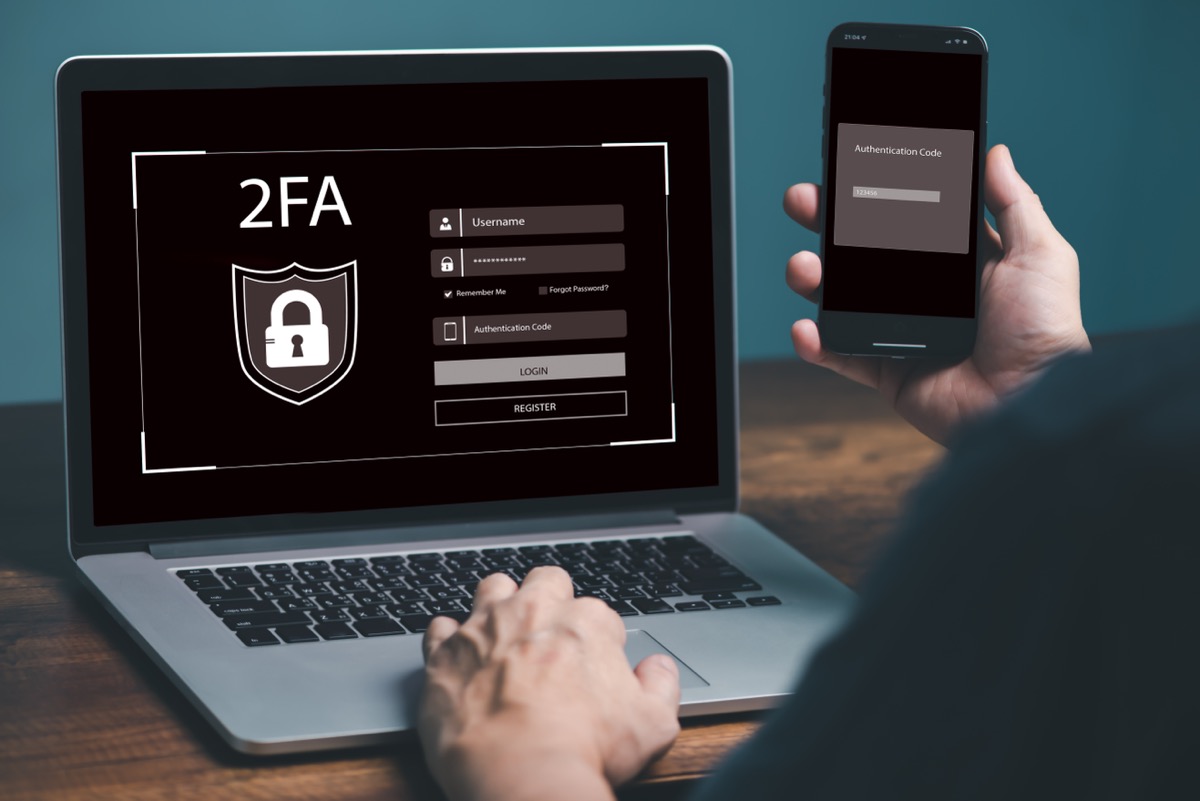
Phishing remains the most common entry point because it is the cheapest for the attacker: a spoofed email in the name of an executive or supplier, a convincing login page, and the attacker now works inside your ERP as that employee. The most effective countermeasure is not only teaching staff to look closely, but making a stolen password useless — two-factor authentication (2FA) enforced on every account.
Insider Threats
Disgruntled employees, leavers whose access was never revoked, and well-meaning staff who make mistakes are all risks. The most frequent case is not deliberate data theft but permission creep: someone moves department, keeps the old rights, and over the years a handful of accounts can reach almost everything. The controls are periodic permission reviews and an audit log that can answer who opened what, and when.
Data Breaches and Files Outside the System
Breaches do not always start with an intrusion. More often data is exported to a file that then travels on its own through chat and email — the same exposure described in The Risks of Keeping Critical Business Data in Excel. The consequences go beyond direct financial loss to reputational damage, litigation and PDPA fines.
3. The New 2026 Risk — When AI Connects to Your ERP
This section did not exist in the 2025 edition, yet it is now the question executives ask most often. Once an AI assistant helps summarise reports or look up records in the ERP, you have effectively added a new kind of user: one that works extremely fast and has not read the company policy.
The main risk is prompt injection — instructions hidden inside content the AI will read, for example in a quotation attachment sent by a supplier, designed to make the assistant do something its owner never asked for. The mechanics and defences are covered in What Is Prompt Injection? The Top AI Agent Risk Before You Connect It to Business Systems.
Three principles apply to any organisation:
- The AI must never hold more rights than the person invoking it — bind access to the real user's permissions instead of letting the assistant share one central admin account.
- Separate reading from writing — start with read and summarise only; creating or amending documents in the system should still require a human approval step.
- Every request belongs in the audit log — you must be able to say what the AI retrieved, on whose behalf, and when.
This connects to the wider question of adopting AI safely, which we cover in Cybersecurity Trends 2026 — 7 Emerging Threats Every Thai Organization Must Know.
4. PDPA and ERP — What Changed in 2026
Thailand's Personal Data Protection Act B.E. 2562 (2019) has been in full force since 1 June 2022, and the ERP is where the largest concentration of personal data sits — employees, customers and business partners alike. What 2026 adds is the Personal Data Protection Committee notification on access to and copies of personal data, published in the Royal Gazette on 16 July 2026 and effective 14 September 2026.
| PDPA requirement | What the ERP must be able to do |
|---|---|
| Answer an access request within 30 days (extendable once by up to 30 days with notice) | Find one person's data across every module in hours, not by walking department to department |
| Keep requests and refusal reasons for at least 2 years | Maintain a request register with received date, due date, status and handler |
| Restrict access to authorised staff | Assign permissions by role and mask sensitive fields from those who do not need them |
| Encrypt data at rest and in transit | Correct SSL/TLS on every access channel, and encrypted backup files |
| Maintain an audit log | Answer who accessed, changed or deleted what, when, and from where |
| Report a breach within the statutory window | Identify which data sets were affected and how many data subjects are involved |
Penalties to be aware of: PDPA breaches carry several layers of liability — criminal penalties of up to 1 year imprisonment or a fine of up to 1 million baht, administrative fines of up to 5 million baht for serious violations, and specifically a fine of up to 1 million baht under section 82 for failing to record the refusal of an access request as required by section 30 paragraph four. Organisations are therefore exposed in both directions: releasing data to the wrong person, and withholding it without recording why.
For the wider picture of aligning an ERP with the PDPA, see PDPA and ERP — Managing Personal Data Legally; Thai public-sector bodies have an additional framework described in Thai Government Security Standard (ICTSC 1-2557).
5. Security Measures in Saeree ERP
Saeree ERP is built with security in the structure rather than added afterwards. The table below deliberately separates what the software provides from what is decided during implementation according to each organisation's policy — two different things that are often described as one, which is where misunderstandings start.
| Measure | What the system provides | What is decided at implementation |
|---|---|---|
| Transport encryption | SSL/TLS support at a level that achieves an A+ SSL grade | Certificate renewal and disabling legacy protocols |
| Two-factor authentication | 2FA can be enabled on user accounts | Whether it is mandatory for everyone or only for sensitive-data roles |
| Role-based permissions | Rights assigned by role down to menu and function level, with masking of sensitive data such as personal records | Your role matrix and how often permissions are reviewed |
| Audit log | Access and data changes recorded with user and timestamp, reviewable after the fact | Log retention period and who may read it |
| Data location | Deployable both on-premise (all data inside the organisation) and on cloud | Which model fits your data-location obligations |
| Backups | Automated backups on a configurable schedule | Frequency, backup location and restore-test cycle |
Where identity must be verified against a government credential, Saeree ERP also supports login via ThaiD alongside conventional 2FA. If you want to check your own system's SSL posture before the WSS deadline, the steps are in SSL Security Check — How to Test Your Website and Read the Report.
Security you cannot audit is barely security at all — if you cannot say who opened which record and when, you have nothing to show an auditor.
- Paitoon Butri, Network & Server Security Specialist, Grand Linux Solution Co., Ltd.
6. On-Premise or Cloud — Who Is Responsible for What
The Cloud Security Standard effective 10 September 2026 poses two questions many organisations cannot answer straight away: where is our data, and who is responsible for which layer? The most common misconception is that moving to cloud transfers all security to the provider. It does not — misconfiguration on the customer's side of the line remains the most frequent cause of cloud data exposure.
| Area | On-premise deployment | Cloud deployment |
|---|---|---|
| Data location | Inside the organisation, stated directly | Region must be chosen and documented to match the standard |
| Physical security | Your own server room | Handled by the provider's data centre |
| Network and firewall configuration | Entirely yours | Still yours — virtual network and firewall rules |
| User permissions and admin accounts | Yours | Yours (the provider supplies the IAM tooling only) |
| Patching and updates | Requires an in-house team or a clear support contract | Split according to the service tier — must be written into the contract |
If the choice is still open, the trade-offs are compared in detail in On-Premise vs Cloud ERP — Which Fits Your Organisation.
7. Backup & Disaster Recovery
No system is 100% secure, so the question executives should ask is not "do we have backups?" but "when did we last restore from them for real, and how many hours did it take?" An organisation that cannot answer that does not yet have a working backup plan.
- Automated backups on a schedule — frequency matched to the value of the data, no human trigger required, and backup files encrypted before storage.
- Storage separated from the primary system — backups sitting on the same host as the ERP get encrypted along with it in a ransomware event.
- RPO and RTO expressed as numbers — how many hours of data you can afford to lose (RPO) and how many hours until service must resume (RTO). Both are executive decisions, not IT decisions.
- Rehearse a restore at least once a year — time it, then compare against the RTO you published.
8. An Executive Checklist — Where to Start
Security work is never finished, but it also does not all have to happen at once. This list is ordered by result per unit of effort — most IT teams can complete the first three items within a few weeks.
| # | Action | The question you can answer once it is done |
|---|---|---|
| 1 | Enable 2FA on all accounts, starting with finance and HR access | Is any account still reachable with a password alone? |
| 2 | Review all permissions; close leavers' accounts and strip permission creep | Who can see payroll data, and on what basis? |
| 3 | Run one real restore test and time it | If the system failed today, how many hours until we are back? |
| 4 | Map personal data — which systems hold it and who owns each one | If an access request arrives, how many days to compile it? |
| 5 | Check SSL and the WSS checklist on every internet-facing channel | When does the certificate expire, and who gets the reminder? |
| 6 | Train staff on phishing at least twice a year | Do staff know whom to notify about a suspicious email? |
| 7 | Set an explicit policy for using AI with system data | What can the AI we already use reach, and is it traceable? |
Recommendation: Do not start by buying new tools. The first three items need no additional budget, yet they remove more than half of the exposure seen most often in practice — accounts without 2FA, permission creep, and backups that turn out not to restore.
Conclusion
2026 turns ERP data security from something an organisation ought to do into something it must be able to prove. The PDPA sets a 30-day clock on access requests, and the NCSA cloud and website standards take effect in the same month. An organisation that can say where its data lives, who can reach it, and how many hours a restore takes will satisfy all three at once.
Saeree ERP provides the foundations for those answers: role-based permissions with masking of sensitive data, an audit log you can review after the fact, support for A+ grade SSL and 2FA, and an on-premise deployment option for organisations that must state their data location precisely. Backup frequency, the role matrix and review cycles are agreed during implementation according to your own policy.
To assess how many of the seven checklist items your current system already covers, contact our team for a consultation on ERP data security.
References
- Personal Data Protection Committee Office (PDPC), Thailand
- Personal Data Protection Act B.E. 2562 (2019) — Royal Gazette
- Notification on access to and copies of personal data B.E. 2569 (2026) — Royal Gazette Vol. 143, Special Part 175 Ngo (16 July 2026)
- Cloud Security Thailand — National Cyber Security Agency (NCSA)