- 29
- March
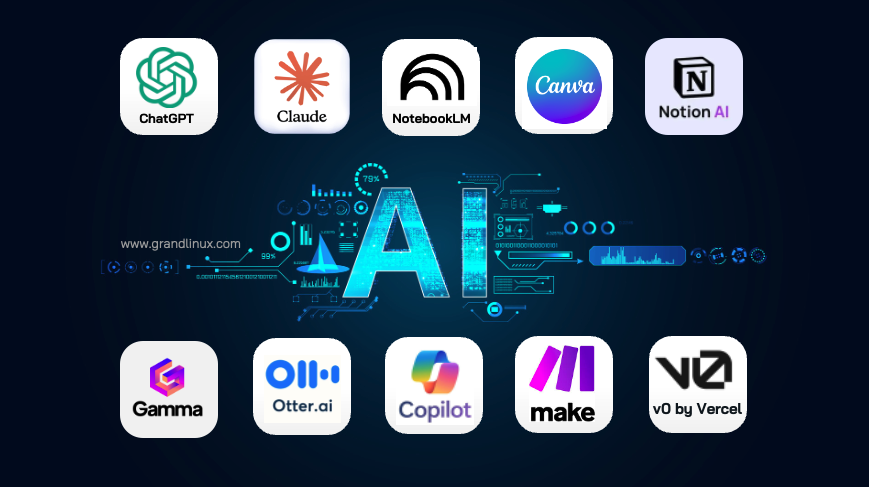
AI is no longer just for developers — anyone can use AI tools to boost productivity today, no coding required, no complex installation needed. Just open your browser and start working. This article covers 10 AI tools we have actually tested and found to be genuinely useful for everyday business tasks. We will be honest about what each tool does well, what it costs, and what to watch out for.
In a hurry? Start here.
If you have never used AI before, start with these 3 completely free tools: ChatGPT (draft documents, translate) + Canva AI (design graphics) + Google NotebookLM (summarize documents). These 3 tools alone cover about 80% of a typical office worker's needs.
1. ChatGPT — The Swiss Army Knife of AI
What it does: Draft documents, translate languages, summarize data, analyze Excel files, write formulas, answer general questions.
Real use case: Ask ChatGPT to draft a client email in English from a few bullet points in your native language. You get a polished email in 30 seconds instead of spending 15 minutes writing it yourself. Or upload an Excel file and ask it to find pricing anomalies in your product data.
| Pricing | Free (GPT-4o mini) / Plus $20/month (full GPT-4o) |
| Thai language | Very good — understands Thai context well |
| Pros | Easiest to use, largest community, Custom GPTs, can analyze uploaded files |
| Cons | Tends to be verbose, occasional hallucinations, limited context window |
2. Claude — The Document Analyst
What it does: Analyze long documents, review contracts, write reports, summarize complex information, write code.
Real use case: Upload a 50-page contract and ask "Which clauses put us at a disadvantage?" You get specific answers with page and section references in under a minute. Or ask it to compare two procurement TOR documents side by side — a task that used to take half a day now takes 5 minutes. For more details, see our ChatGPT vs Claude vs Gemini comparison.
| Pricing | Free (Sonnet) / Pro $20/month (Opus 4.6, 1M context) |
| Thai language | Very good — handles Thai analysis in detail |
| Pros | 1M token context window (handles very long documents), precise answers, less prone to hallucination |
| Cons | Smaller plugin ecosystem than ChatGPT, Pro plan is relatively expensive |
3. Google NotebookLM — Free Document Summarizer with Audio Overview
What it does: Upload PDFs, Google Docs, or websites. AI summarizes, answers questions, and creates Audio Overviews (podcast-style summaries).
Real use case: Upload a 200-page annual report and ask "How much did this year's budget increase compared to last year?" You get an answer with page references. Or click Audio Overview to get a 10-minute podcast summarizing everything — perfect for listening during your commute.
| Pricing | 100% Free |
| Thai language | Moderate — can understand Thai documents, but Audio Overview is English-only |
| Pros | Completely free, clear source citations, Audio Overview feature is outstanding |
| Cons | Requires document upload first (cannot answer general questions), not suitable for writing tasks |
4. Canva AI — Professional Design Without Being a Designer
What it does: Design presentations, posters, social media posts, logos — with AI-powered image generation, editing, and style transformation.
Real use case: Need to create a presentation for executives? Type 5 key points into Canva AI and get 10 polished slides in 3 minutes. Adjust colors, swap images, add your logo, and you are done in 15 minutes. No graphic designer needed.
| Pricing | Free (limited features) / Pro ~$120/year |
| Thai language | Good — Thai templates available, full Thai font support |
| Pros | Very easy, huge template library, AI image generation, team collaboration |
| Cons | Free tier is very limited (Pro is needed for real value), some export formats require Pro |
5. Notion AI — Project Management + AI in One Place
What it does: Project management, wiki creation, meeting notes, task summaries — with built-in AI for writing, summarizing, and translating.
Real use case: Use Notion as your IT team's wiki containing all procedures. When a new team member joins, they can simply ask the AI "What is the Production deployment process?" and get an instant answer from the wiki. No more searching through scattered documents. This directly addresses the knowledge loss problem that many organizations face.
| Pricing | Notion $10/user/month + AI Add-on $10/user/month |
| Thai language | Moderate — UI is English-only, but you can write Thai content |
| Pros | All-in-one: Project Management + Wiki + AI, highly flexible |
| Cons | Expensive ($20/user with AI), steep learning curve |
6. Gamma — Create Presentations from Text in 1 Minute
What it does: Generate presentations, web pages, and documents from text. AI handles structure, images, and layout automatically.
Real use case: You have 2-page meeting minutes. Paste them into Gamma and say "Create an executive summary presentation." You get 8 polished slides in under a minute. Just review and send.
| Pricing | Free (watermark, limited generations) / Plus $8/month |
| Thai language | Good — can generate Thai content, though some templates are English-focused |
| Pros | Extremely fast, beautiful without manual layout, exports to PDF/PPTX |
| Cons | Less customizable than PowerPoint, free tier has watermark |
7. Otter.ai — Automatic Meeting Transcription and Summaries
What it does: Record meetings, transcribe audio to text, summarize key points, identify who said what.
Real use case: During a 1-hour Zoom meeting, Otter.ai joins as a bot. When the meeting ends, you get a 1-page summary with action items showing who needs to do what. No manual note-taking required.
| Pricing | Free (300 minutes/month) / Pro $16.99/month |
| Thai language | Poor — primarily supports English. Thai transcription has high error rates |
| Pros | Auto-joins Zoom/Google Meet, great summaries, speaker identification |
| Cons | No Thai support, free tier limited to 300 minutes, some participants feel uneasy with a bot in the meeting |
8. Microsoft Copilot — Built-in AI for Office 365
What it does: AI embedded in Word, Excel, PowerPoint, Outlook, and Teams — helps draft documents, analyze spreadsheets, summarize emails, and create slides.
Real use case: Open an Excel file with 12 months of sales data. Ask Copilot "Which month had the highest sales and what might explain it?" You get an answer with a chart. Or in Outlook, have Copilot summarize 50 unread emails and highlight urgent items.
| Pricing | $30/user/month (requires existing Microsoft 365 Business subscription) |
| Thai language | Good — full Thai support thanks to Microsoft's localization investment |
| Pros | Built into tools you already use (Word, Excel), no workflow changes needed |
| Cons | Very expensive ($30/user/month), requires Microsoft 365, not all features are mature yet |
9. Make.com — Connect Apps Automatically, No Code Required
What it does: Build automations connecting different apps. For example: new email received -> AI summarizes it -> sends a LINE notification. Or: new order placed -> auto-generate invoice.
Real use case: Set up an automation where a website form submission -> data goes to Google Sheets -> confirmation email sent -> LINE notification to the sales team. All built in Make.com without writing a single line of code. This kind of automation is closely related to the AI Agent trend that is reshaping how businesses operate.
| Pricing | Free (1,000 operations/month) / Core $9/month |
| Thai language | None — UI is English-only, but data can be in Thai |
| Pros | 1,500+ app integrations, visual builder is intuitive, saves enormous time |
| Cons | Requires basic logic understanding (if-then), free tier has operation limits, debugging complex flows is difficult |
10. v0 by Vercel — Build Websites from Text Descriptions
What it does: Describe the web page you want in plain text. AI generates HTML/CSS/React code instantly with a real-time preview.
Real use case: Need a landing page for a new campaign? Type "Create a landing page for an ERP 30% discount promotion with a signup form, blue and white theme." You get a finished page in 2 minutes. Just tweak the details and deploy.
| Pricing | Free (limited generations) / Premium $20/month |
| Thai language | Moderate — can generate Thai web pages, but English prompts yield better results |
| Pros | Instant web pages from text, high-quality code, ready to deploy |
| Cons | Best for prototypes/landing pages rather than production systems, basic coding knowledge needed for customization |
Comparison Table: All 10 AI Tools
| Tool | Best For | Pricing | Thai Support | Ease of Use |
|---|---|---|---|---|
| ChatGPT | Drafting, translating, Excel analysis | Free / $20/mo | Very Good | Very Easy |
| Claude | Long document analysis, contracts | Free / $20/mo | Very Good | Very Easy |
| NotebookLM | Document summary, Audio Overview | Free | Moderate | Easy |
| Canva AI | Graphic design, presentations | Free / ~$120/yr | Good | Very Easy |
| Notion AI | Project management, wiki | $10+$10 AI/mo | Moderate | Moderate |
| Gamma | Presentations from text | Free / $8/mo | Good | Very Easy |
| Otter.ai | Meeting transcription, summaries | Free / $16.99/mo | Poor | Easy |
| MS Copilot | AI in Office 365 | $30/user/mo | Good | Easy |
| Make.com | App automation | Free / $9/mo | None | Moderate |
| v0 (Vercel) | Web pages from descriptions | Free / $20/mo | Moderate | Moderate |
Warning: Never Put Sensitive Data in Public AI Tools
All 10 tools listed here are public cloud services — the data you input may be used for model training. Never input sensitive information such as passwords, customer data, NDA-protected contracts, or unreleased financial data. If you need AI for sensitive work, use Enterprise plans that guarantee your data will not be used for training. Also review AI Governance and data security best practices.
AI Tools vs ERP — What is the Difference?
A common question is "If I use AI tools, do I still need an ERP?" The short answer: yes — they operate at completely different levels.
| Dimension | AI Tools (10 above) | ERP (e.g., Saeree ERP) |
|---|---|---|
| Scope | Point solutions (draft docs, summarize meetings) | Enterprise-wide (Finance, Procurement, HR, Budget) |
| Data | Individual user data | Organization-wide Single Source of Truth |
| Workflow | None (use and done) | Full Approval Workflow, Audit Trail |
| Analogy | Like a Swiss Army knife | Like an entire factory production system |
The best approach is to use both together — AI Tools for daily tasks (drafting, summarizing, designing) and ERP as the organization's core system (accounting, budgeting, procurement, HR). See how AI works alongside real business operations in Cowork — AI Agent That Works on Your Machine.
AI Tools make individuals more productive, but ERP makes the entire organization work as a system. Using both together yields the best results.
- Sureeraya Limpaibul, Managing Director, Grand Linux Solution
Summary — Start Using AI Today
- Start free — ChatGPT + Canva + NotebookLM are completely free. Zero risk to try.
- Use real work — Do not just play around. Bring actual tasks: draft an email, summarize a report, create a slide deck.
- Protect sensitive data — Never input confidential information into public AI tools. Use Enterprise plans when needed.
- AI is not everything — AI solves point problems. If your organization needs a system connecting all departments, you still need ERP.
- Do not be afraid — AI in 2026 is easier than you think. Start today, and tomorrow you will be more productive.
If you are interested in an ERP system that works alongside AI, or need technology consulting for your organization, feel free to contact our consulting team.