- 8
- March
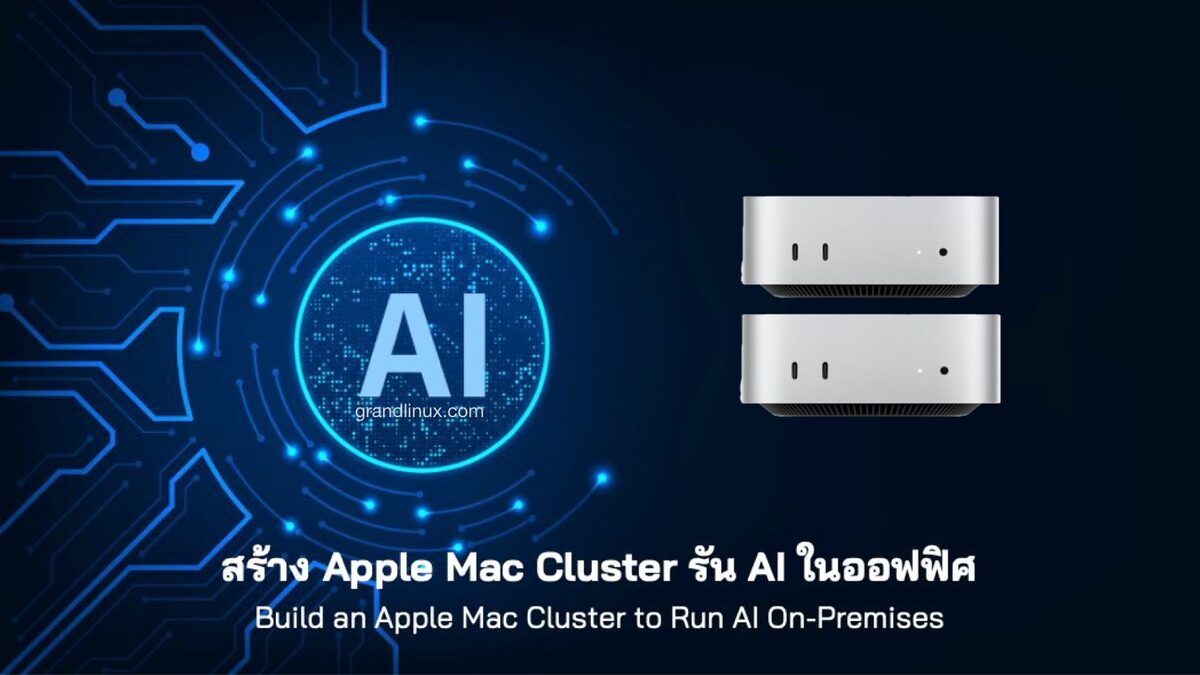
Want to run large AI models in your office without relying on the Cloud? Now you can — connect multiple Macs via Thunderbolt 5 and use Exo Labs software to pool Unified Memory from every machine into one block, running AI models from 70B up to 1 Trillion parameters locally and privately, with data never leaving your office
Quick summary: A 2-machine Mac Cluster starts at ~172,000 THB with 128GB RAM, capable of running 70B AI models | Compared to NVIDIA H100 which requires 28 million+ THB for equivalent specs — 15x cheaper
What is a Mac Cluster?
A Mac Cluster connects multiple Macs via Thunderbolt 5 cables and uses RDMA (Remote Direct Memory Access) technology enabled in macOS Tahoe 26.2, making all machines work as one — Unified Memory from every node is pooled together for running large AI models that a single machine can't handle
RDMA technology reduces latency from 300 microseconds to just 3-9 microseconds, enabling all nodes to work simultaneously via Tensor Parallelism instead of queuing sequentially
What Can It Do?
| Use Case | Example Model | Speed (4-node) |
|---|---|---|
| Chatbot / Assistant | Llama 3.3 70B | ~16 tokens/s |
| Coding Assistant | Qwen 480B Coder | ~40 tokens/s |
| Reasoning / Analysis | DeepSeek V3.1 671B | ~25-27 tokens/s |
| Mega Model | Kimi K2 (1T params, MoE) | ~28-34 tokens/s |
| Small & Fast | Llama 3.2 3B | ~240 tokens/s |
| Code Review | Devstral 123B | ~22 tokens/s |
Key advantages: Run 5+ models simultaneously | Expose as OpenAI-compatible API compatible with Open WebUI, Cursor, Continue | 100% on-premises data — nothing leaves your office, ideal for PDPA / compliance
How Much Investment? — 3 Budget Tiers
Tier 1: Starter — Try It Out (~172,000 THB)
| Item | Quantity | Estimated Price |
|---|---|---|
| Mac mini M4 Pro 64GB (14-core CPU, 20-core GPU, 1TB) | 2 units | ฿164,000 (฿82,000 x 2) |
| Thunderbolt 5 cable | 1 cable | ฿3,000 |
| Ethernet switch 10GbE | 1 unit | ฿5,000 |
| Total | ~฿172,000 | |
Total RAM 128GB — comfortably runs Llama 3.3 70B, Devstral 123B (4-bit) | Power consumption < 200W | Ideal for teams of 10-20 people
Tier 2: Professional — Production Use (~1,200,000 THB)
| Item | Quantity | Estimated Price |
|---|---|---|
| Mac Studio M3 Ultra 192GB | 4 units | ฿1,120,000 (฿280,000 x 4) |
| Thunderbolt 5 cables (mesh) | 6 cables | ฿18,000 |
| Ethernet switch 10GbE | 1 unit | ฿5,000 |
| Total | ~฿1,143,000 | |
Total RAM 768GB — runs DeepSeek V3.1 671B | Power ~600W peak | Ideal for organizations of 50-100 people
Tier 3: Enterprise — Full Power (~1,800,000 THB)
| Item | Quantity | Estimated Price |
|---|---|---|
| Mac Studio M3 Ultra 256GB | 4 units | ฿1,760,000 (฿440,000 x 4) |
| Thunderbolt 5 cables (mesh) | 6 cables | ฿18,000 |
| Ethernet switch 10GbE | 1 unit | ฿5,000 |
| Total | ~฿1,783,000 | |
Total RAM 1TB — runs Kimi K2 (1 Trillion params) | Power ~600W peak (idle ~66W) | Ideal for organizations of 100-200 people
Note: The 512GB/unit option (2TB total) was removed from the Apple Store on March 5, 2026 due to global DRAM shortage — 256GB is the maximum available for order now (highest price on Apple TH is 440,380 THB)
Mac mini M4 Pro 64GB Specs — Recommended for Starter Tier
| Detail | Spec |
|---|---|
| Chip | Apple M4 Pro |
| CPU | 14-core (10 performance + 4 efficiency) |
| GPU | 20-core |
| Neural Engine | 16-core |
| Unified Memory | 64GB |
| Memory Bandwidth | 273 GB/s |
| Storage | 1TB SSD |
| Thunderbolt | Thunderbolt 5 x 3 ports (120 Gb/s) |
| Ethernet | Gigabit (upgradable to 10GbE at purchase) |
| Price | $2,399 / ~฿82,000-85,000 |
Important: Must be M4 Pro only to get Thunderbolt 5 — the standard M4 uses Thunderbolt 4 (cannot use RDMA). The 64GB Mac mini must be ordered CTO (Configure to Order) via Apple Online Store, not available in retail stores, 2-4 weeks delivery
Mac Cluster vs NVIDIA GPU — Direct Comparison
| Mac Cluster (4x M3 Ultra 256GB) | NVIDIA H100 (Equivalent) | |
|---|---|---|
| Price | ~1.8M THB (one-time) | ~28M THB+ ($780K+) |
| RAM Total | 1TB unified | 640GB HBM3 |
| Peak power | ~600W | ~5,600W |
| Electricity/month | ~฿1,500 | ~฿14,000 |
| Noise | Very quiet, can sit on a desk | Requires a server room |
| Training | Not suitable | Suitable |
| Inference | Excellent | Excellent |
Summary: Mac Cluster is ~15x cheaper for inference (running models) but not suitable for training (teaching models). If your organization needs data security and doesn't want to send data to the Cloud — Mac Cluster is an excellent value choice
Step-by-Step Mac AI Cluster Installation
Step 1: Prepare Hardware and Cable Connections
Connect all Macs via Thunderbolt 5 in ring/mesh topology + separate Ethernet for management
Mac A ──TB5──▸ Mac B
  │               │
  TB5            TB5
  │               │
Mac D ◂──TB5── Mac C

+ Ethernet switch connecting all machines (for SSH / API)
Important: On Mac Studio, do not use the TB5 port adjacent to the Ethernet port | For 2 machines, use a single TB5 cable for direct connection
Step 2: Enable RDMA (On Every Machine)
# 1. Shut down the machine
# 2. Hold Power button for 10 seconds → enter Recovery Mode
# 3. Open Terminal from the Utilities menu
rdma_ctl enable
# 4. Restart normally
Must be done with physical access — Apple designed this as a security gate to prevent remote activation
Step 3: Set Up Admin User (Every Machine)
sudo dscl . -create /Users/clusteradmin
sudo dscl . -create /Users/clusteradmin UserShell /bin/zsh
sudo dscl . -passwd /Users/clusteradmin [secure-password]
sudo dscl . -append /Groups/admin GroupMembership clusteradmin
Enable SSH: System Settings → General → Sharing → Remote Login (Choose Administrators Only)
Step 4: Set Up SSH Key (From Controller Machine)
ssh-keygen -t ed25519 -C "cluster@company.com"
ssh-copy-id clusteradmin@mac-studio-01
ssh-copy-id clusteradmin@mac-studio-02
Step 5: Install Python + MLX (Every Machine)
brew install miniconda
conda create -n exo python=3.11
conda activate exo
pip install mlx mlx-lm

# Test
python -c "import mlx.core as mx; print(mx.metal.device_info())"
Step 6: Install Exo Labs (Every Machine)
conda activate exo
git clone https://github.com/exo-explore/exo.git
cd exo && pip install -e .
exo start
Exo will auto-discover every node on the network — Dashboard at http://localhost:52415 | Set Transport = MLX RDMA, Strategy = Tensor Parallel
Step 7: Test the Cluster
# Check that all machines are discovered
exo devices list
exo cluster status

# Check RDMA is working
python -c "import mlx.core as mx; print(mx.distributed.is_available())"
# Expected: True

# Load test model
exo model load mistral-7b-instruct
exo model infer mistral-7b-instruct \
  --prompt "Hello, explain RDMA in simple terms" \
  --max-tokens 200
Step 8: Load Large Models — Production
exo model load deepseek-v3.1-8bit     # 671B params
exo model load qwen-480b-coder        # For coding
exo model load kimmi-k2-1t-moe        # 1 Trillion params
Daily Health Check
for host in mac-studio-{01..04}; do
  ssh clusteradmin@$host 'uptime' || echo "$host unreachable"
done
exo cluster status
Limitations to Know Before Investing
| Limitation | Detail |
|---|---|
| Inference only | Not suitable for model training (much slower than NVIDIA) |
| Requires Thunderbolt 5 | M1/M2 or TB4 will fall back to TCP/IP (very slow) |
| macOS Tahoe 26.2+ | Must wait for stable version (currently still beta) |
| Exo Labs is still early-stage | Frequent updates, potential breaking changes |
| 512GB/unit removed from sale | Max is 256GB per unit (as of March 2026) |
Who Is It For?
Mac AI Cluster is ideal for organizations that need:
- Privacy — data stays in the office, ideal for PDPA, GDPR
- Cloud cost savings — no monthly API fees (GPT-4, Claude are expensive)
- Customization — Choose the best model for each task
- Multiple models — run 5+ models simultaneously for different tasks
For organizations already using an ERP system, having an AI cluster in the office enables secure analysis of Data Warehouse information without sending business data to external cloud services
Recommendation: Start with Mac mini M4 Pro 64GB x 2 units (~172,000 THB) — if it works well, scale up to Mac Studio M3 Ultra later. No need for heavy investment upfront
Summary — Should You Invest?
| Tier | Budget | RAM Total | Runs Models Up To | Best For |
|---|---|---|---|---|
| Starter | ฿172K | 128GB | 70B | Small teams / experimentation |
| Professional | ฿1.14M | 768GB | 671B | Mid-size organizations |
| Enterprise | ฿1.78M | 1TB | 1T (MoE) | Large organizations |
"A Mac Cluster isn't just 15x cheaper than NVIDIA — it's a game-changer because small organizations can now access enterprise-grade AI without needing a server room or DevOps team"