- 24
- April
If you've heard of Claude but aren't sure where to start — Anthropic (Claude's maker) has released a free online course called "Claude 101" that walks you through everything from your first conversation to building Projects, using Artifacts, connecting tools, and running Deep Research. 13 lessons across 5 modules, completely free, with a Certificate of Completion at the end. The author of this review completed the course and earned the Certificate — so this is a firsthand review covering what's in the course, who it's for, and whether it's worth the time (short answer: yes, especially if you already use Claude at work).
In short: Claude 101 = Anthropic's official free online course (hosted on Skilljar) — 5 modules, 13 lessons, no Anthropic account required to access materials, certificate upon completion. Aimed at every knowledge worker, not just developers.
TL;DR — 3 reasons to take Claude 101
- Claude ships features faster than most users can keep up with — Projects, Artifacts, Skills, Cowork, Connectors, Research Mode all landed in the last 12 months. If you only know half of them, you're leaving half the value on the table.
- Free + certificate — no financial commitment, plus a credential you can add to LinkedIn.
- Practical, not theoretical — use cases are organised by role (Marketing, Sales, HR, Finance, Engineering), not abstract AI concepts.
What is Claude 101?
Claude 101 is the official free online course from Anthropic, hosted on Skilljar (the same learning platform AWS and HubSpot use for product training). Launched in early 2026 after Anthropic noticed a clear pattern: most users aren't using Claude to its full potential — they know Chat, but they've never touched Projects, Artifacts, or Skills.
The course is designed for non-technical users (not just developers) and can be completed in 2–3 hours. The English is deliberately straightforward — if you can read this review, you can follow along. For broader context, see our April 2026 AI tools roundup.
Using Claude at work? Get a quote in Thai Baht with a full tax invoice
Our procurement service starts at 5 seats · fewer than that? buy direct from Anthropic · Enterprise: talk to our team
Course Structure — 5 Modules, 13 Lessons
| Module | Covers | Lessons |
|---|---|---|
| 1. Meet Claude | What Claude is + your first conversation | 2 lessons |
| 2. Getting Better Results | Desktop App: Chat, Cowork, Code + prompting techniques | 2 lessons |
| 3. Organizing Work & Knowledge | Projects, Artifacts, Skills | 3 lessons |
| 4. Expanding Claude's Reach | Connectors, Enterprise Search, Research Mode | 3 lessons |
| 5. Putting It All Together | Use cases by role + other ways to work with Claude + certificate | 3 lessons |
Module 1: Meet Claude — Getting Acquainted
The first module starts with the basics: what Claude is, and how it differs from ChatGPT or Gemini. It briefly introduces Anthropic's Constitutional AI approach — enough to understand why Claude emphasises safety and honesty, without going deep into theory. For a detailed head-to-head, see ChatGPT vs Claude vs Gemini.
Lesson 2 walks through opening Claude for the first time: typing a question, uploading a file, and reading the response. If you've used ChatGPT, you can skim this module — but if you haven't, don't skip it, because it sets up the foundation for later modules.
Module 2: Getting Better Results — The Desktop App Most People Miss
This is the module that surprises the most people — Claude has a Desktop App (Mac/Windows) with three distinct modes:
| Chat | The familiar mode — like Claude in the browser. |
| Cowork | Claude can see your screen (with consent) and help in real time — e.g. analyse the Excel sheet you have open, without copy-pasting. |
| Code | Edit code in actual folders on your machine, not a sandbox — see our Claude Code review. |
Lesson 4, "Getting better results," teaches a 4-step prompting pattern: Role + Task + Context + Format. Not advanced prompt engineering, but reliably better than just "asking a question."
Module 3: Organizing Your Work & Knowledge
The most important module for anyone actually using Claude for work. It covers three features that change how you operate:
Projects — Purpose-Built Folders
A Project is a container for conversations + reference files + a system prompt, scoped to a specific task. Create a Project called "HR Policy" and upload the company handbook — now every conversation in that project has instant context, without re-uploading the files. Perfect for recurring work tied to a fixed document set.
Artifacts — Editable Outputs
When Claude produces a tangible deliverable — a document, code, a table, a diagram — it appears as an Artifact, separated from the chat. You can edit it, browse version history, and share it via link, like Google Docs with an AI collaborator. Unlike ChatGPT Canvas, Artifacts can run code in place (preview React, HTML, and interactive components).
Skills — Callable Capabilities
Skills are bundles of instructions + files + scripts that Claude loads on demand. For example, a "PowerPoint" skill teaches Claude to generate .pptx files, an "Excel analyzer" skill parses spreadsheets, and a "Brand voice" skill adapts writing to your marketing team's tone. Anthropic provides a Skills library, and you can author your own (turning team knowledge into something Claude can invoke).
Note: Projects and Artifacts work on Free and Pro. Skills and Connectors require Pro ($20/month) or higher.
Module 4: Expanding Claude's Reach — Beyond the Chat Window
This module is about taking Claude out of the chat window and wiring it into your organisation's systems.
Connectors — Plug Into the Apps You Already Use
Connectors are Anthropic's take on MCP (Model Context Protocol) — Claude connects directly to Gmail, Google Drive, Notion, Slack, GitHub, Jira, and Linear. The course walks through setup and, importantly, covers scope and permission considerations.
Enterprise Search
For teams on Claude Teams/Enterprise — Claude searches across every connected source at once. Ask "what emails did customer ABC send us last week, and which Linear tickets relate to them?" and Claude pulls from Gmail and Linear in a single answer.
Research Mode — Deep Dives
A mode where Claude browses, reads, synthesises, and cites sources — for research tasks that would normally require 20 open tabs. Comparable to Gemini Deep Research or ChatGPT Deep Research, but Claude's output tends to be more structured (tables, clear sections, visible citations).
Module 5: Putting It All Together — Use Cases by Role
The final module delivers role-specific use cases, and this is where the course outperforms most tutorials:
| Role | Use Cases Taught |
|---|---|
| Marketing | Build a brand voice skill, draft content calendars, analyse competitors. |
| Sales | Draft proposals, summarise calls, automate follow-up emails. |
| HR | Create Projects for policies, answer employee questions, screen CVs. |
| Finance | Analyse P&Ls, build Excel models, summarise financial reports. |
| Engineering | Code review, debugging, refactoring via Claude Code. |
| Operations | SOP generation, workflow automation via Connectors. |
The closing lesson, "What's next?" points to follow-on resources: Anthropic Academy (advanced), the Claude Cookbook (developer), Claude API docs, and Claude Code docs.
Is the Certificate Real? (Our Team Finished It)
Yes, confirmed — the Saeree ERP team completed the course and received the Certificate of Completion (examples shown below). The system issues a PDF with a verification URL ready for LinkedIn. It's not an industry certification on the level of AWS or Google, but it carries real weight for knowledge workers because it's an official Anthropic credential, straight from Claude's maker.
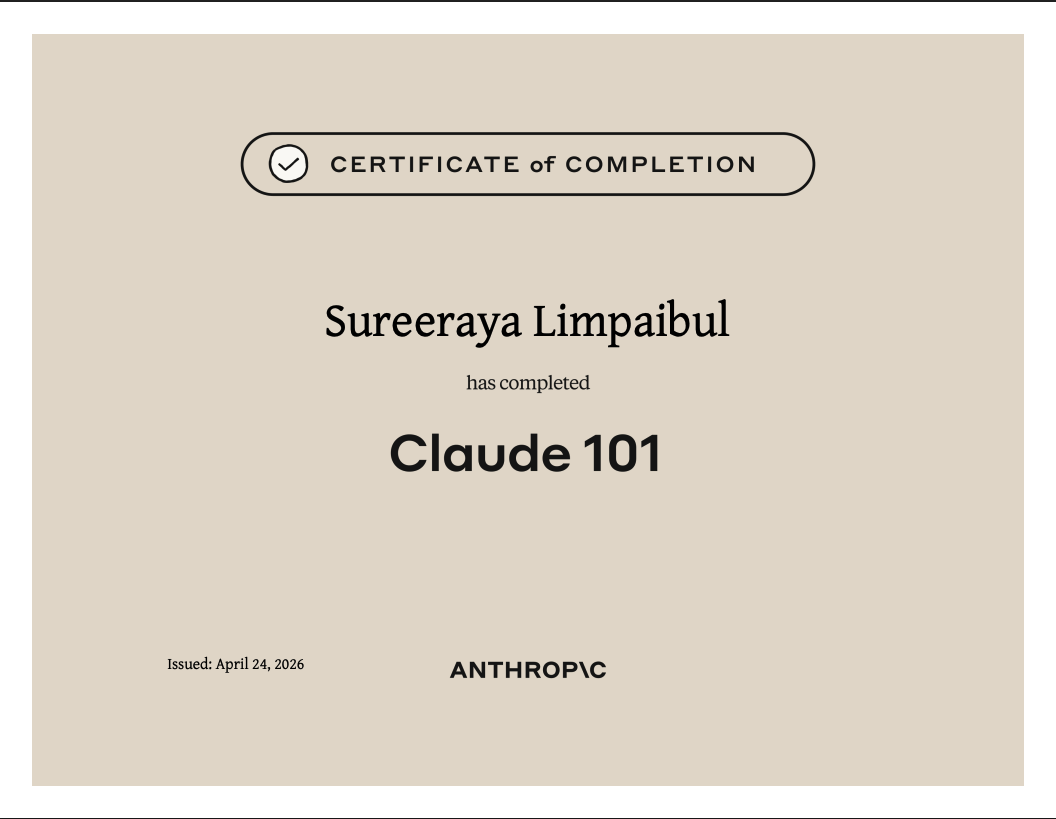
Awarded to Sureeraya Limpaibul (สุรีระยา ลิ้มไพบูลย์)
Managing Director, Grand Linux Solution · Apr 2026
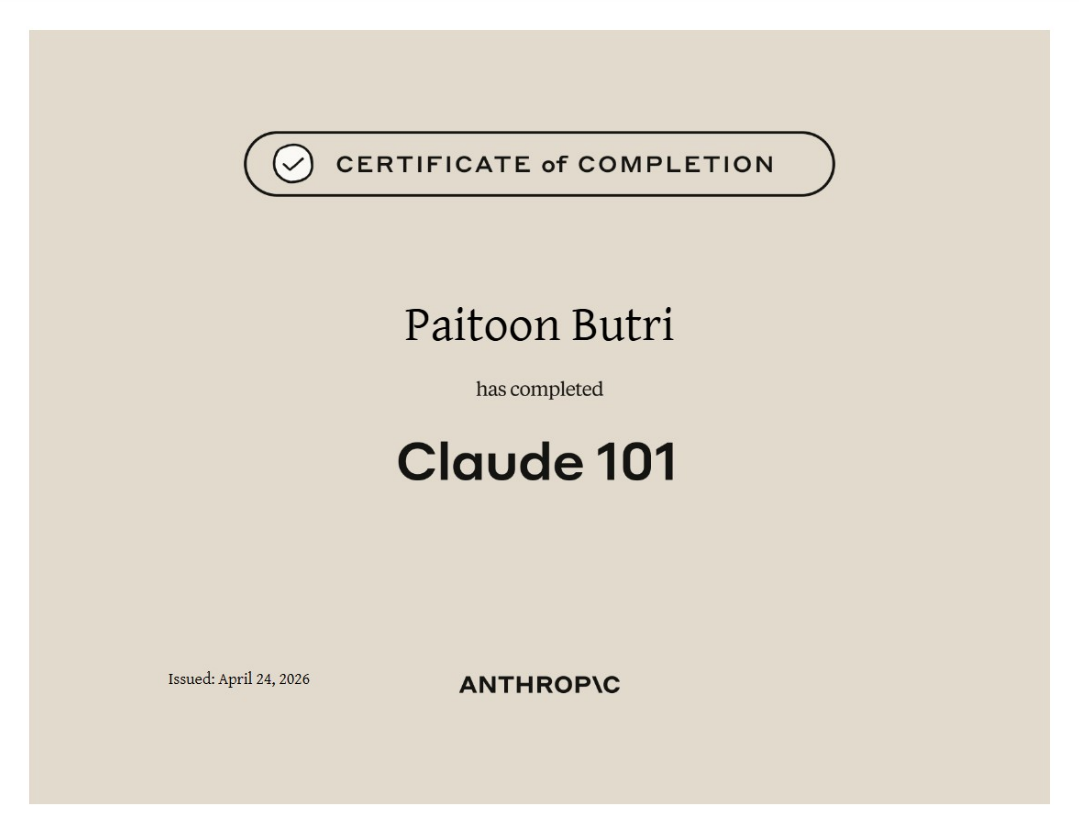
Awarded to Paitoon Butri (ไพฑูรย์ บุตรี)
Network & Server Security Specialist, Grand Linux Solution · Apr 2026
What you actually walk away with (beyond the certificate itself):
- A working understanding of Projects, Artifacts, and Skills — not just name recognition, but enough to use them in real work immediately.
- Patterns for applying Claude across teams — Marketing, HR, Finance, Engineering.
- Clarity on which features live in Free vs Pro vs Teams — useful when choosing a plan.
- A "how to actually get $20/month of value from Pro" perspective — which most free tutorials don't teach.
Compared to Other AI Courses
| Course | Price | Strength | Best For |
|---|---|---|---|
| Claude 101 | Free | Covers the full Claude ecosystem | Claude users on Free + Pro |
| OpenAI Academy | Free | Focused on ChatGPT + API | Developers + ChatGPT users |
| Google AI Essentials | $49 (Coursera) | Covers Gemini + responsible AI | Google Workspace users |
| DeepLearning.AI Short Courses | Free | Technical, developer-focused | Engineers who want depth |
Strengths + Caveats
Strengths
- Free — no Anthropic account required to access the materials.
- Current content — reflects 2026 features.
- Self-paced — completable in one weekend afternoon.
- LinkedIn-ready certificate.
- Role-based use cases (not just "how to ask an AI questions").
Caveats
- English only — no Thai subtitles; you'll need auto-captioning if English is tough.
- Not deep on API/developer material — for that, move on to Claude Code and Anthropic Academy.
- Enterprise features may be gated on Free — Skills and Connectors require Pro or higher.
- Risk of staleness — Claude ships fast, so expect the material to drift within 6 months.
Who Should Take It / Who Shouldn't
| Worth your time | Probably not |
|---|---|
| Claude users who only know the chat window | 100% ChatGPT users with no interest in switching |
| Team managers onboarding staff onto AI | Developers who want deep API/SDK content (go to Anthropic Academy instead) |
| Knowledge workers who prefer structured learning | People who've already done multiple prompt-engineering 101 courses |
| Claude Pro users who've never tried Skills/Projects | Non-English speakers without captioning (no Thai subtitles yet) |
Bottom Line
Claude 101 is a high-return free course if you already use Claude and want the full feature set. The 2–3 hours you invest pay back as a multiple in daily productivity once you discover Projects, Artifacts, Skills, and Connectors.
For organisations, the playbook is: have department heads take it first, then run an internal workshop for the team — more efficient than having everyone decode English on their own. And where a term is unclear, Claude itself can translate it on the spot, right inside the course.
"AI won't replace people — but people who know how to use AI will replace those who don't."
— Saeree ERP team
Looking to connect your ERP to AI systems or prepare your organisation for AI integration? Talk to the Grand Linux Solution team — consultation is free.